Time · Hours, reports, and the plan
Know where the time goes.
Log hours against projects and tasks. Review costs, plan capacity, and manage time off.
Plan and usage limits apply. View pricing
Product walkthrough
Time, in context.
Demo project data shown for illustration.
Screen 01 / 03
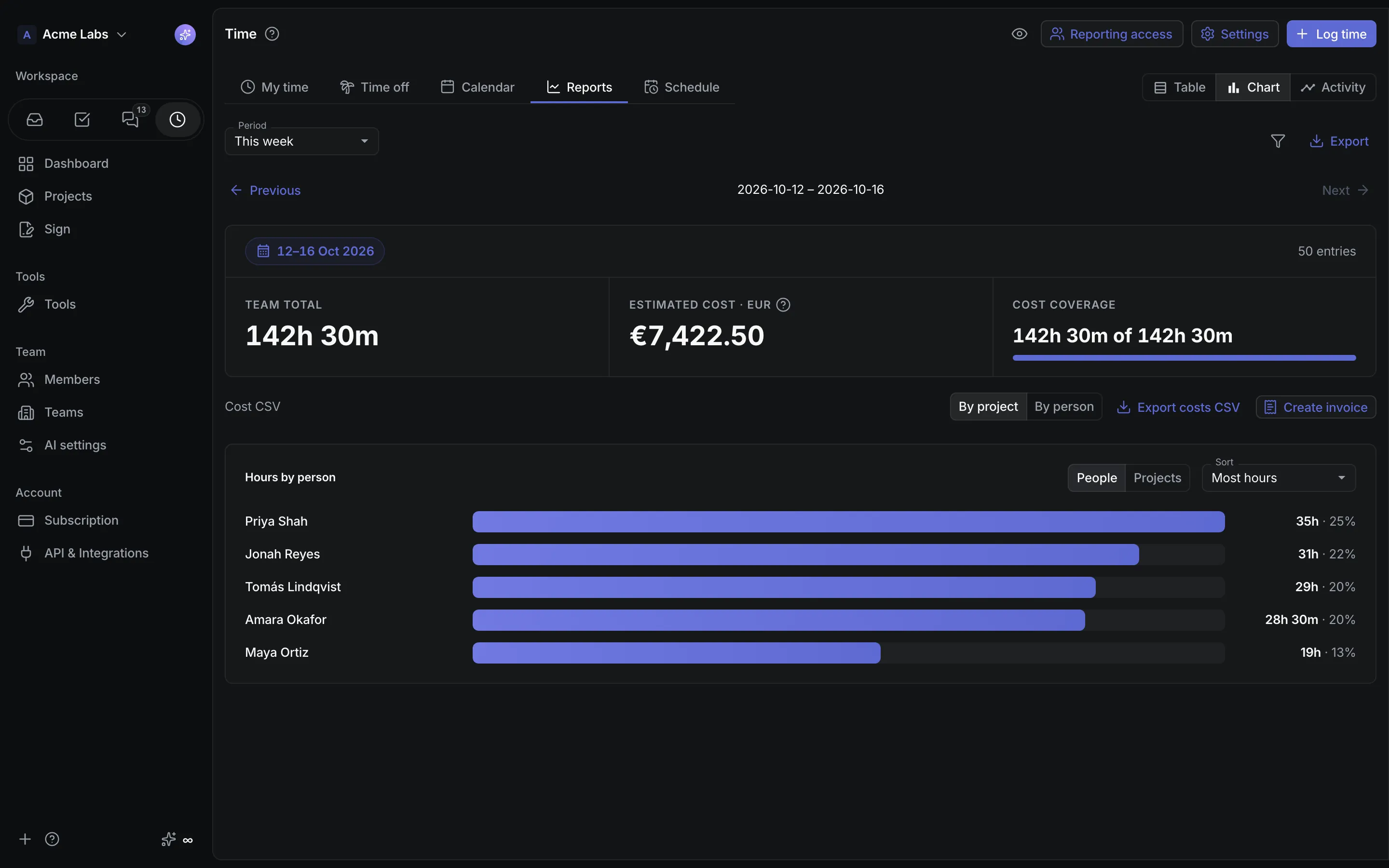
Reports
Team hours for the week, with an estimated cost from each person's rate.
A closer look
The details,
when you need them.
Explore the workflow, what it produces, and how access works.
How Time works
Time is a core workspace feature with My time, Time off, Calendar, Reports, and Schedule tabs. Members log hours against projects and tasks in seconds; owners, admins, and explicitly granted viewers read weekly and monthly reports with estimated costs, plan bookings and capacity, and approve leave.
- Log time from the Time page, a task, a flow, or the dock's Add time with a date, hours and minutes shortcuts, an optional task link, and a description that Generate from activity can draft from your recorded task changes and posts.
- Read Reports as a table, chart, or activity view: totals, cost coverage, a breakdown by project or person, CSV and branded PDF exports, and Explain activity on any entry.
- Plan in Schedule: drag bookings between people and dates, see free, partial, full, and overloaded days, request and approve time off, and set per-person capacity, rates, or salaries.
A practical example
An agency lead needs last month's hours per client with an estimated cost, wants to see who is overbooked next week, and would like the invoice to start from the report instead of a spreadsheet.
What you get
Time the business can act on
- Estimated costs from hourly rates or monthly salaries in one team currency, with unconfigured hours shown rather than hidden
- Cutoff rules that close past dates manually, after a grace period, or after month-end
- One-click invoices from a report, and the same logging, timers, reporting, and compensation actions over MCP
Using Time
Reports and compensation stay with owners, admins, and granted viewers; ordinary members see their own hours. Reporting grants give no project access, Schedule is private planning metadata that changes neither logged time nor assignments, and costs are allocated estimates rather than payroll.
Keep exploring