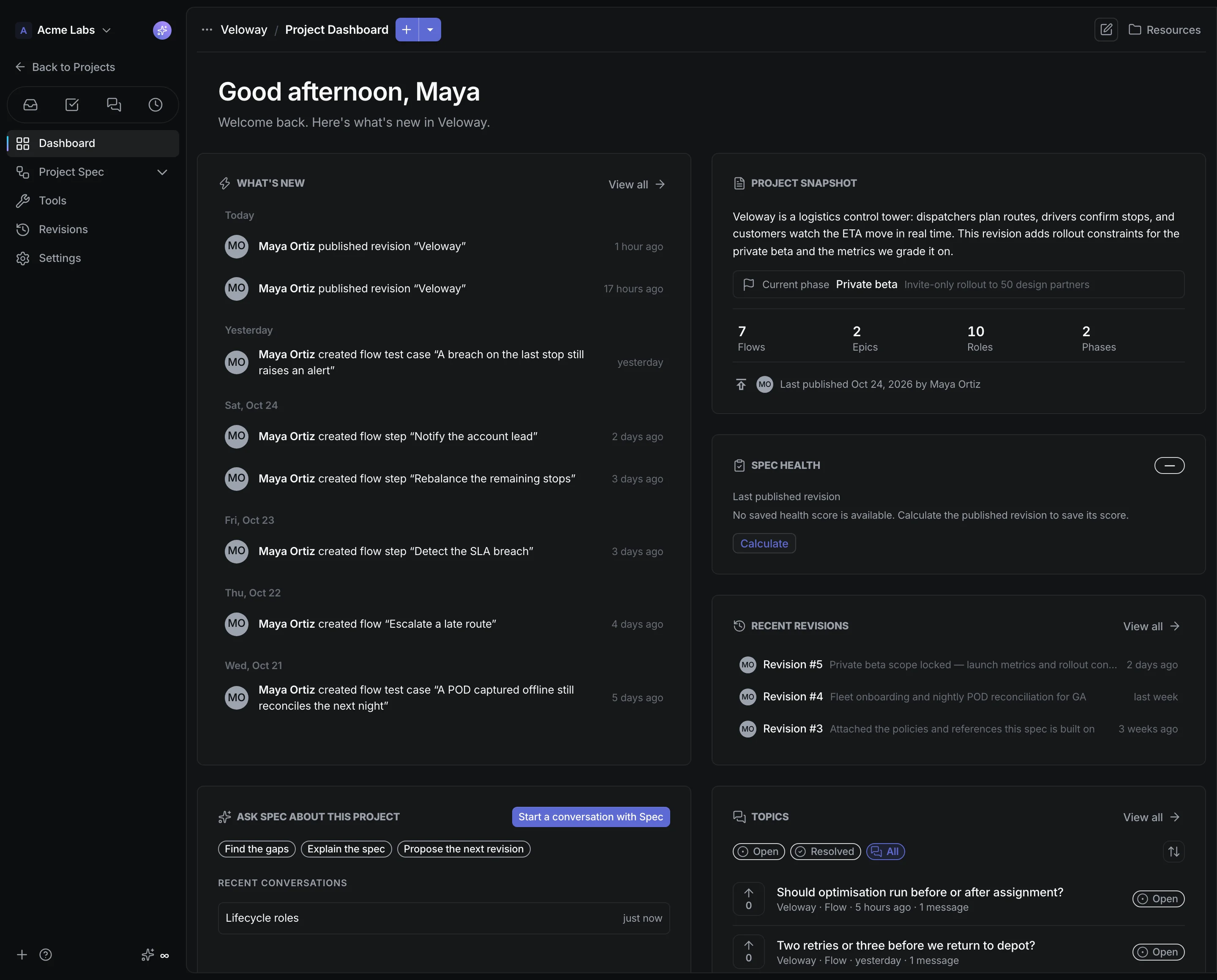



Proposals, never silent edits
Review each validated proposal before it changes the spec.
Define the product. Manage the work. Give your team and coding agents the same published context.
A living spec, connected project tools, and a workspace for the business.
Connect flows, data models, roles, and tests. Review changes in a draft, then publish a version your team can use.
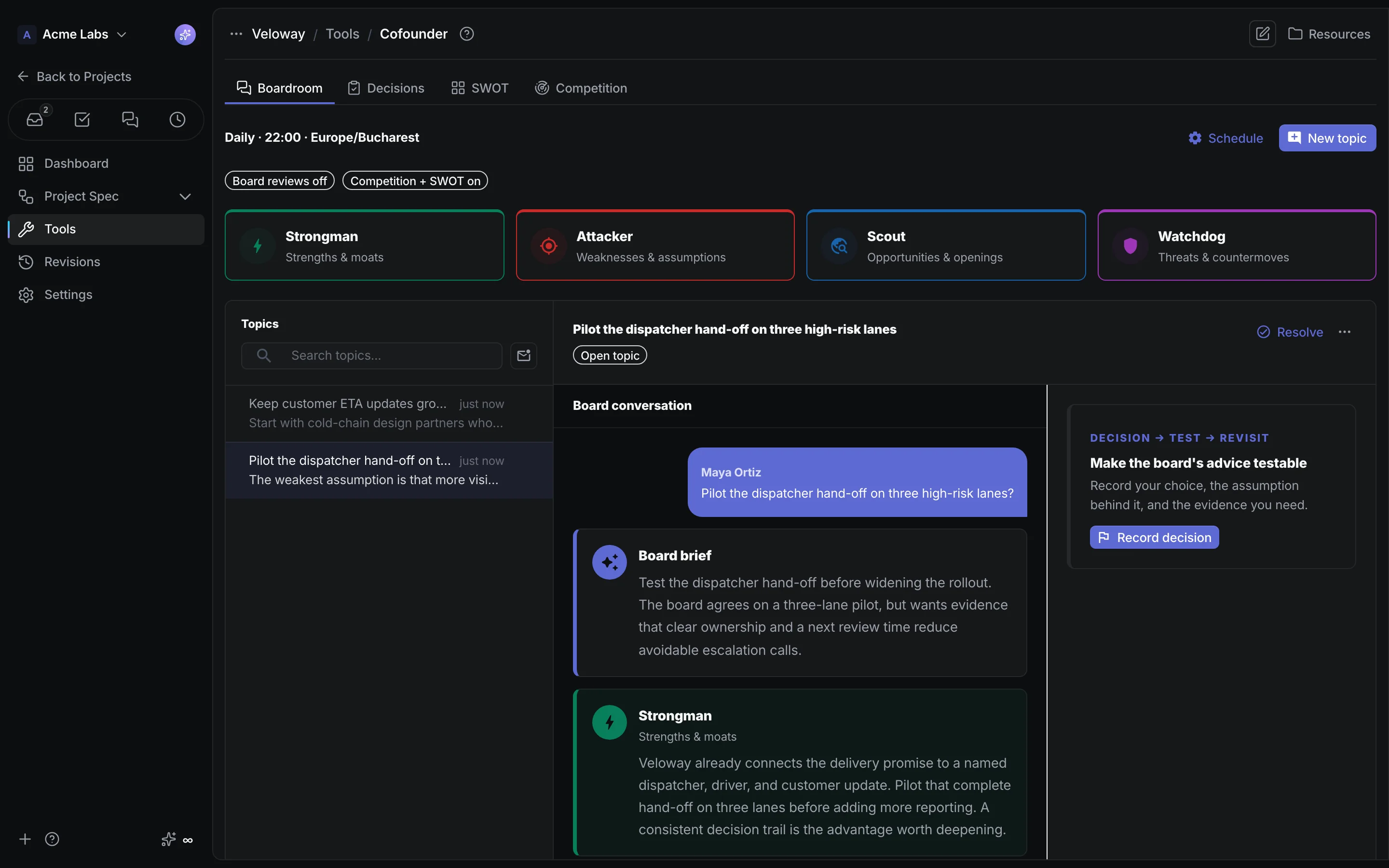
Ask four AI perspectives. Turn useful advice into a decision, a test plan, and a date to review it.
Meet CofounderTrack tasks against product flows. Run published workflows, review prototypes, and share approved context with coding agents.
Manage leads and clients alongside the product. Publish a site, open a shop, and prepare the team for the next conversation.
Explore SalesFind notifications, discussions, and assigned work in one Inbox. Keep chat, time, invoices, and contracts in the workspace.
See Chat & BubblesAsk Spec for help as you work. Review every proposed change to the specification.
Review each validated proposal before it changes the spec.
Use text or voice to explore the project. Approve changes when you are ready.
Let a background change set prepare a larger request for one review.
Jump to any flow, step, data model, term, or tool and land with the editor open.
Explore tools for delivery, sales, publishing, and everyday operations.
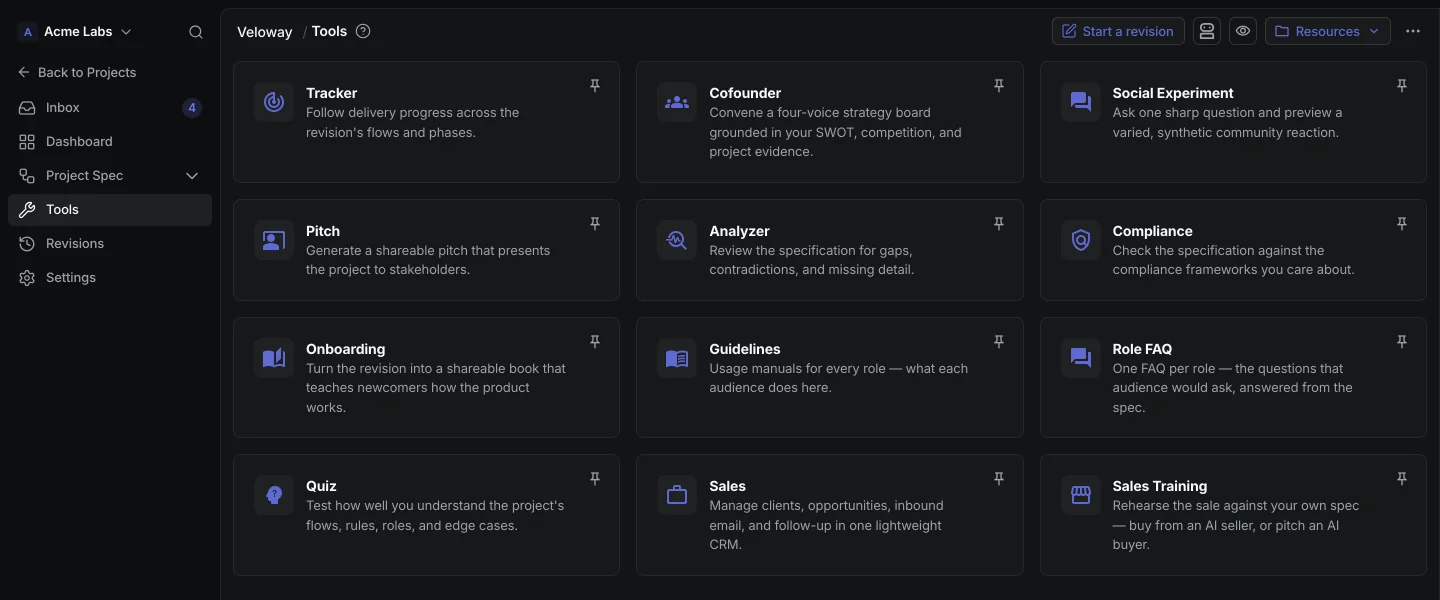
One system where everything a product team does reads from the same approved source of truth. In CrystalSpec that source is the published revision of your living spec: flows, data models, roles, and test cases. Strategy, delivery tasks, sales, onboarding, and coding agents all work from it instead of keeping their own copy of the product.
No. The Tracker and Sales tools cover spec-linked tasks and a lightweight deal pipeline, which is plenty for many teams. Teams with an established tracker keep it: publishing pushes AI-decomposed atomic tasks to GitHub, Linear, or ClickUp, each linked back to the revision it came from.
Agents connect to a hosted MCP server, verified with Claude Code, Claude Desktop, and Cursor, using scoped personal tokens. They read the published revision, list what changed, and ask the project questions. A scoped GraphQL API and HMAC-signed webhooks cover the rest.
Specification changes are not. The AI proposes and a person approves every create, update, and delete, and each decision is recorded. Tool outputs such as onboarding books, guidelines, and board advice are generated from the approved spec and never edit it.
Chat, Time, and Sign are core for every joined member. Calendars, Invoicing, Inventory, and Domains are optional: owners and admins switch each one on, set a default access level, and override it per member. Project tools such as Tracker, Sales, Landing, Shop, Forms, and Backends live inside a project and follow its access and role settings.
Start with a permanent Free workspace with unlimited projects, 1 member, and 500 AI credits each month. Team is $5 per member per month, with one shared monthly AI pool. Spec exports, repository automation, and Smart AI need a paid plan.
Every change versioned. Every revision revertible.