Invoicing · Bill, get paid, report
From work done to invoice sent.
Create invoices, send reminders, and track payments. Connect your own Stripe account for card payments.
Plan and usage limits apply. View pricing
Product walkthrough
Invoicing, in context.
Demo project data shown for illustration.
Screen 01 / 03
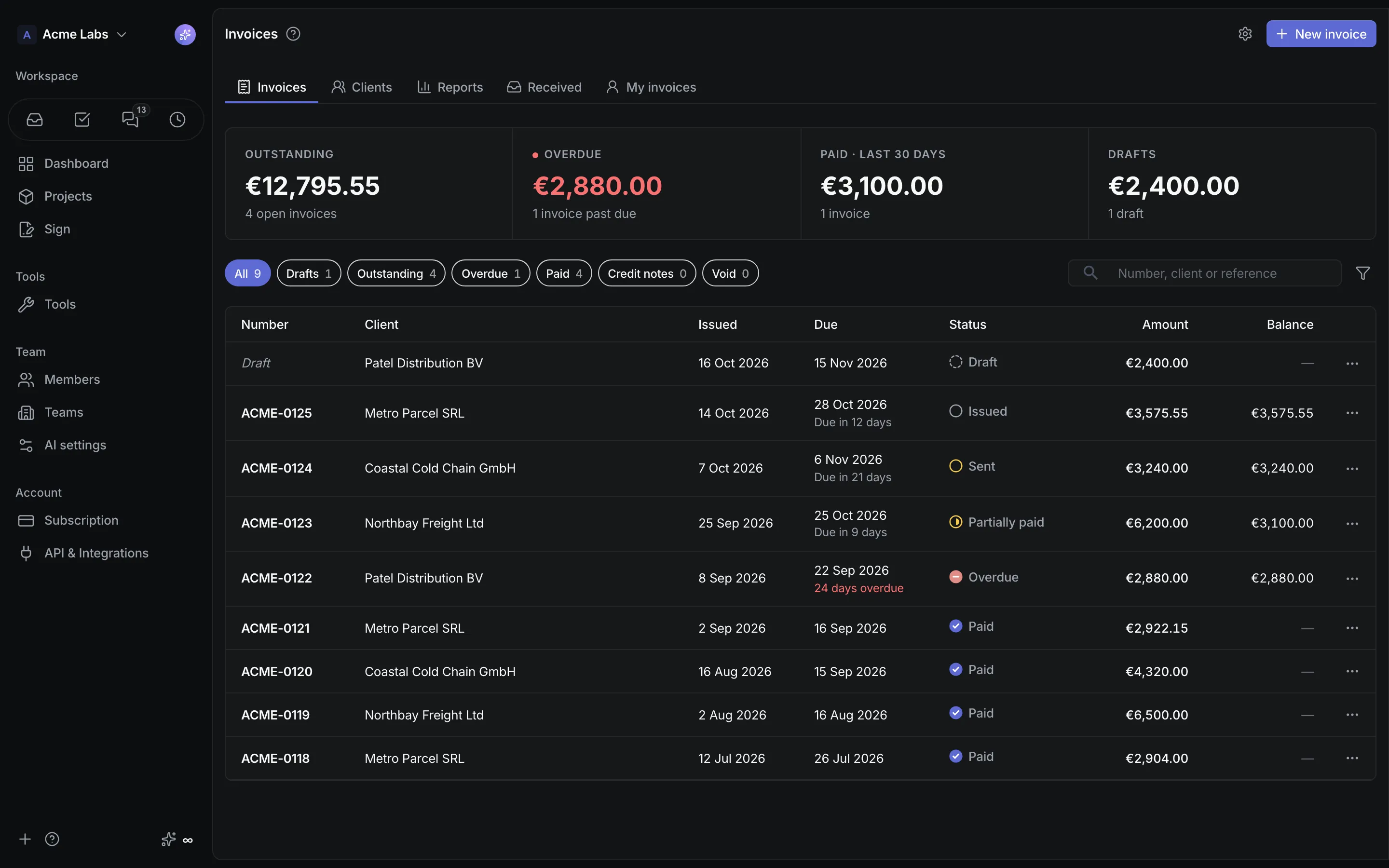
Invoices
Outstanding, overdue, paid and draft invoices in one list.
A closer look
The details,
when you need them.
Explore the workflow, what it produces, and how access works.
How Invoicing works
Invoicing is a workspace tool for billing clients: a business profile kept once, clients in their own currencies, invoices whose lines can point at several projects, PDF and email delivery with reminders, payments including card payments through your own Stripe account, reports that combine currencies, and Romanian e-Factura XML with ANAF submission.
- Press N, pick or create the client inline, add lines with optional projects, units, discounts, and VAT, link the signed contract from Sign, then save a draft, issue, or send.
- Let the platform email the PDF with a pay link that opens hosted Checkout, record partial or full payments, and send reminders manually or at configured offsets around the due date.
- Read Outstanding, Overdue, Paid, and Drafts tiles, reports by month, client, project, or status with aging buckets, and download the e-Factura XML or submit it to ANAF with status tracking.
A practical example
A studio bills five clients in three currencies every month, wants reminders to go out on their own, needs the Romanian e-Factura step handled, and wants contractors to invoice the studio from their logged time.
What you get
Invoices with their paper trail
- Issued invoices that freeze the business profile and client snapshots, credit notes, numbering series, and a delivery and payment log
- Invoices prefilled from Time reports or from a Shop order that already accounts for the payment received
- Personal invoicing: members with their own billing details send invoices to the workspace, calculated from their own completed Time at their own rate
Using Invoicing
Mixed-currency totals combine through BNR rates and say so. Sending to a client does not submit to e-Factura, and the invoice warns until it is submitted. Recurring invoices, quotes, and a client portal are out of scope for this version.
Keep exploring