Forms · Surveys that read back to you
Good questions. Useful answers.
Create forms and surveys with AI assistance. Share a link, collect responses, and explore the results.
Plan and usage limits apply. View pricing
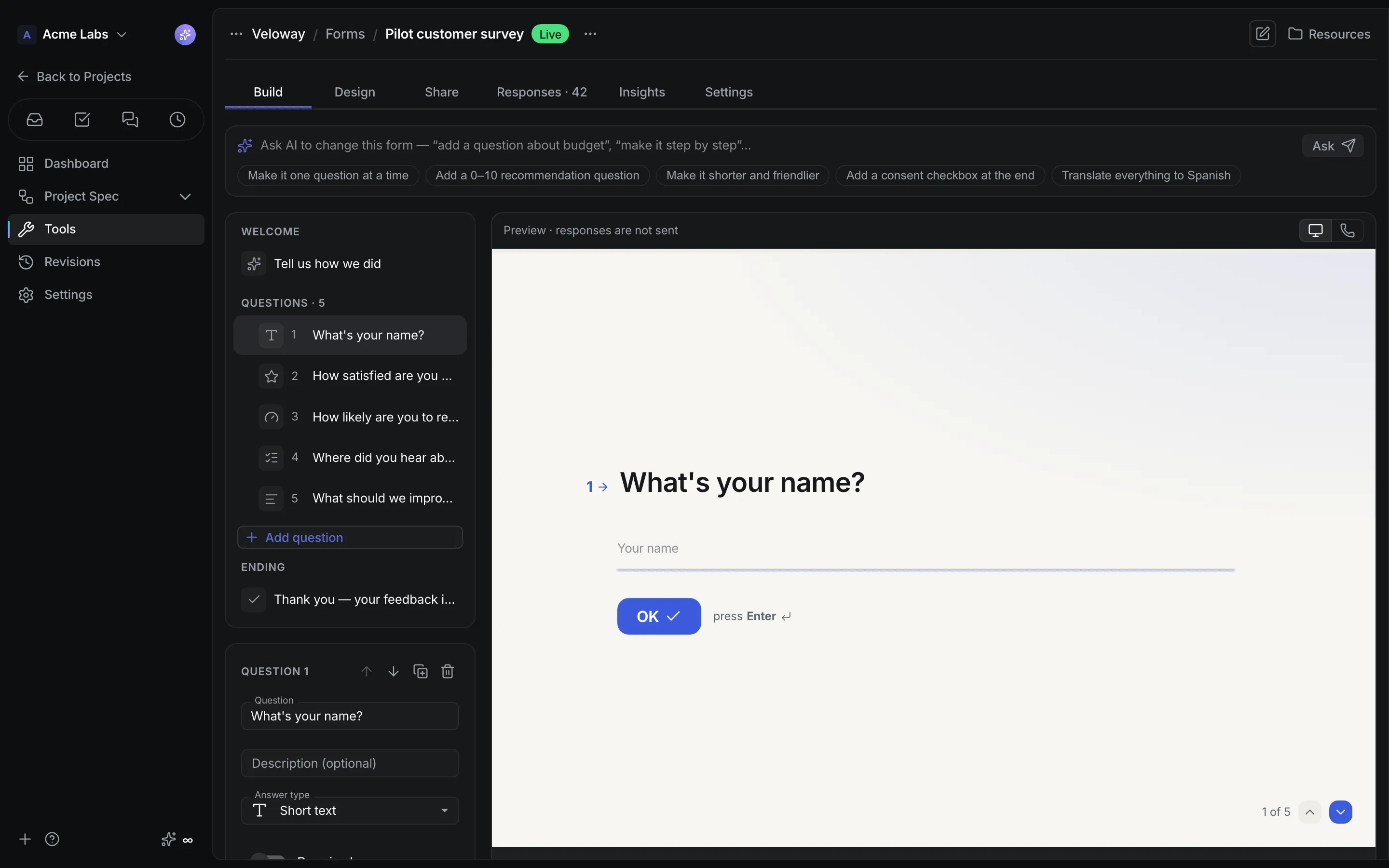
Product walkthrough
Forms, in context.
Demo project data shown for illustration.
Screen 01 / 03
Form studio
Questions on the left, a one-question-at-a-time preview on the right.
A closer look
The details,
when you need them.
Explore the workflow, what it produces, and how access works.
How Forms works
Forms is the project tool for standalone shareable forms and surveys: a studio with Build, Design, Share, Responses, Insights, and Settings, an Ask AI bar that proposes changes you apply on purpose, and a public viewer that works without a login.
- Start from a sentence, a template such as customer feedback, event registration, job application, or NPS, or a quick start, then arrange the welcome, questions, and ending beside a live preview.
- Choose one question per screen or all on one page, a light or dark theme, an accent color, button labels, and an optional AI-generated presentation that runs in an isolated frame.
- Publish, share the address, iframe, script tag, or JSON API, and read responses newest first with search, CSV export, and insights per question.
A practical example
A product team wants a Net Promoter Score survey after onboarding and an event registration form next month, both embedded in their own pages, with results they can read at a glance.
What you get
Responses with the summary already done
- Totals, responses per day for 30 days, choice shares, rating and scale distributions with averages, and NPS for 0–10 scales
- A keyboard-friendly step mode with a progress bar, Enter to continue, letter keys for choices, and automatic advance
- Inbox notices for the form's receiving members and questions to AI about recent responses
Using Forms
Forms are separate from Sales lead forms: a survey collects responses, a lead form creates clients and deals. Draft changes stay private until Publish, Pause keeps the link alive without taking responses, and the preview never sends anything.
Keep exploring