The agentic product OS
Your business.
One workspace.
Plan the product. Run the business. Work alongside Spec, your AI guide.
Free to start. No credit card.
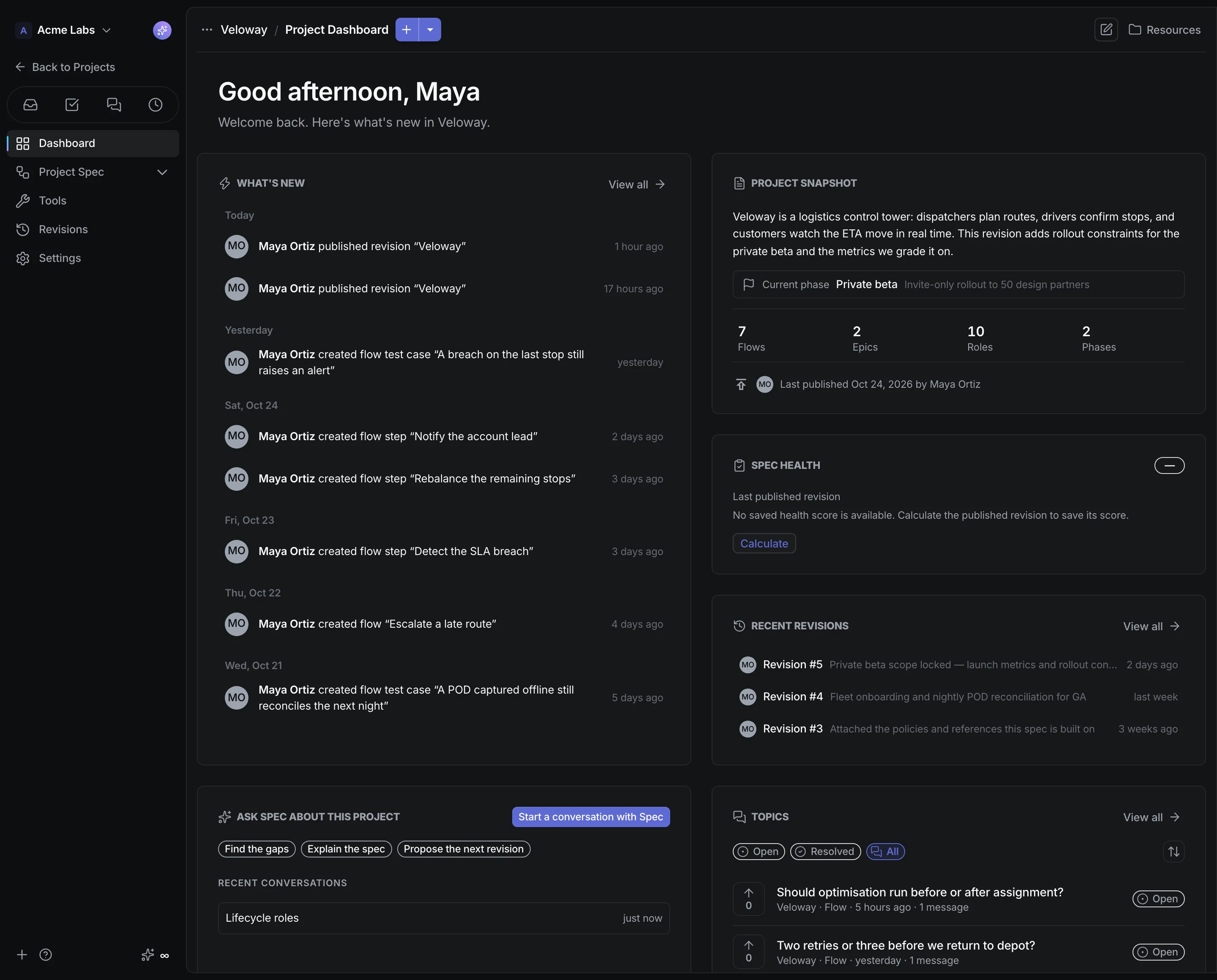
Describe an idea. Review your first spec.
From the first customer to the paid invoice.
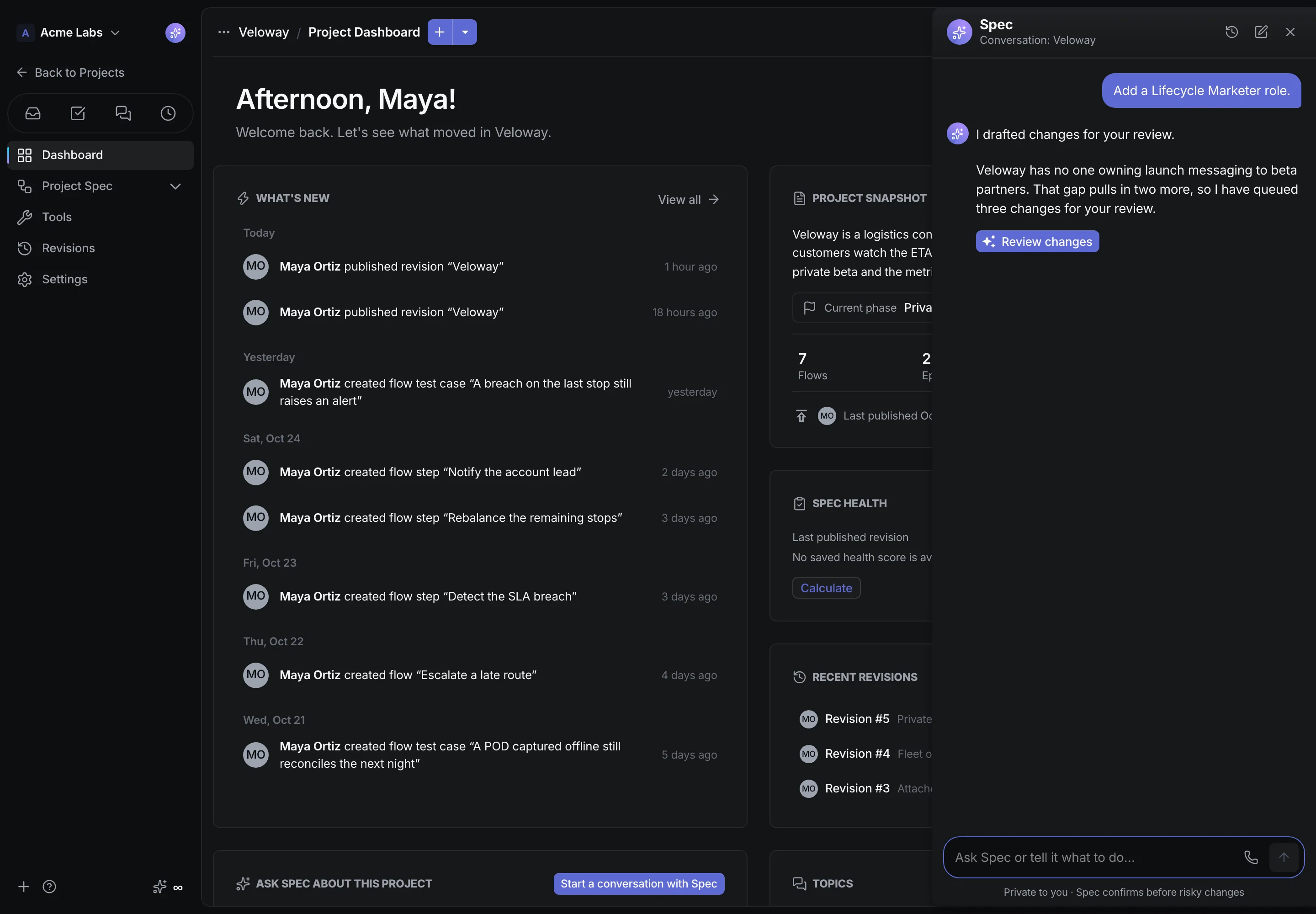
Your guide, wherever work takes you.
Ask a question. Find your next step. Talk to Spec as you work.
- Help with the page you’re on
- Text or voice. Your choice.
- You approve AI spec edits
See the work come together.
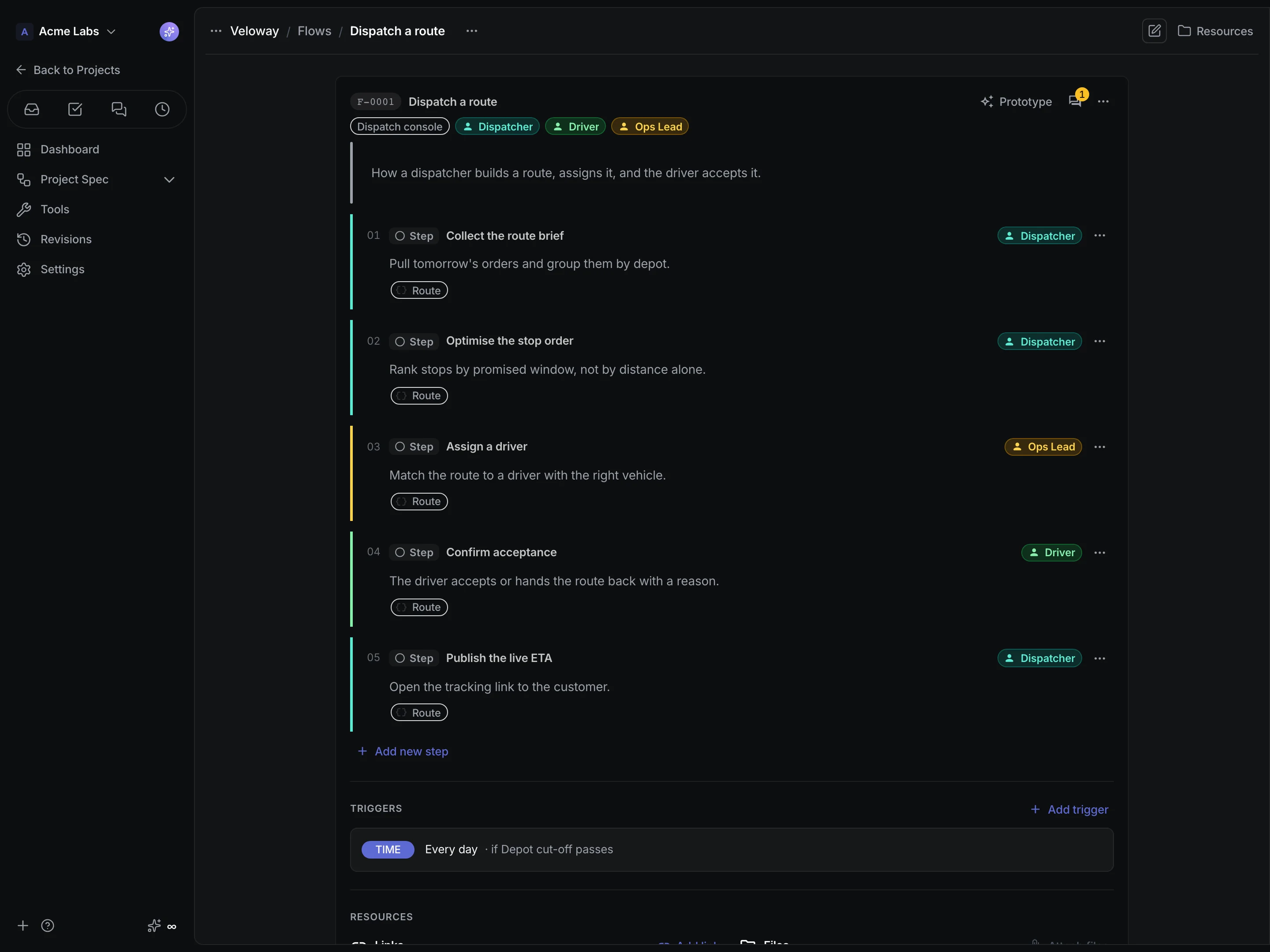

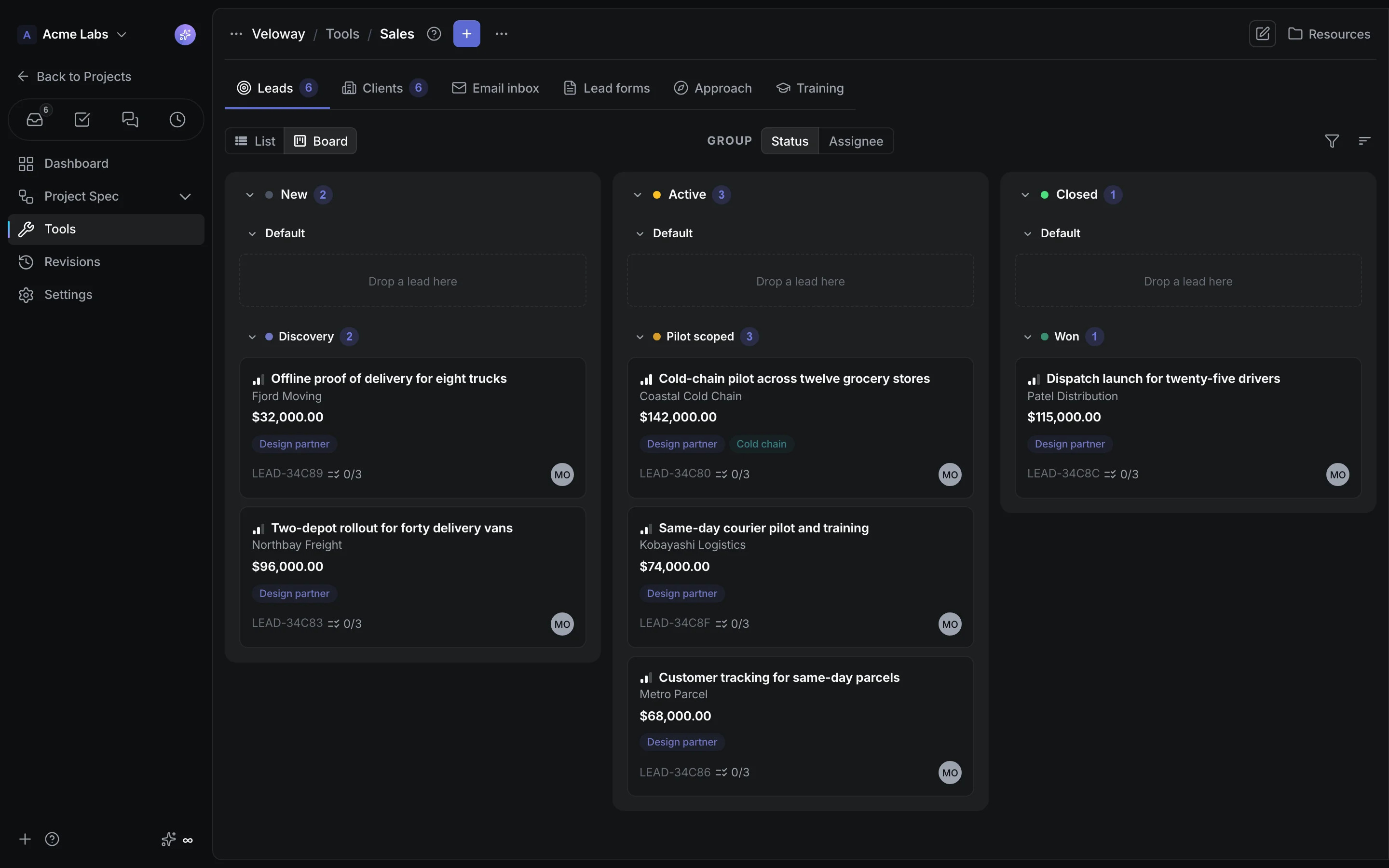
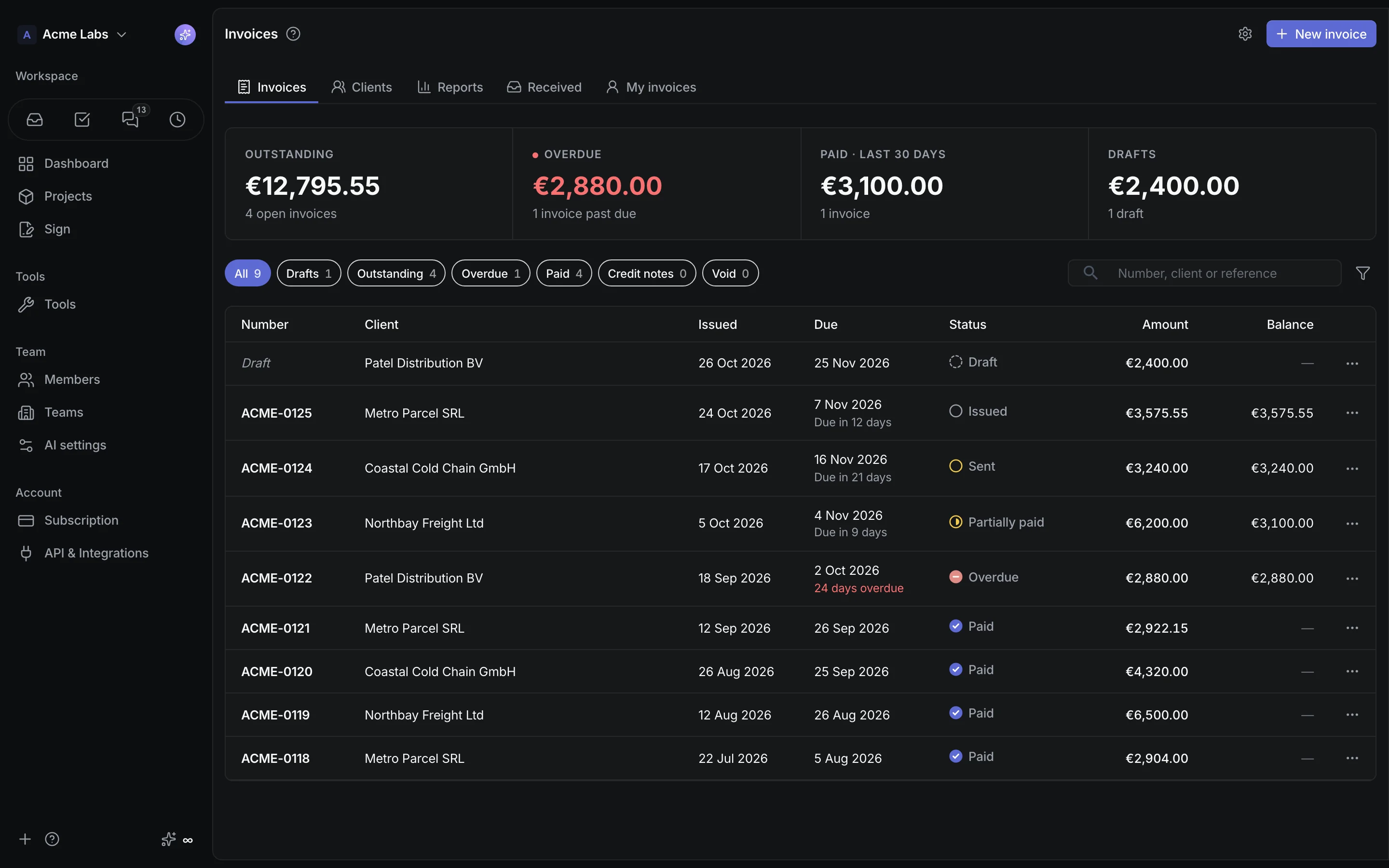
Think it through. Put it to work.
Describe
Tell Spec what you have in mind.
Approve
Review each proposed spec change.
Run
Manage customers, projects, and operations.
Connect
Give connected agents your published context.
Room for the rest of your day.
Start free. Make room for your team.
One permanent Free workspace. Team when you need more.
Free
A lasting home for your own projects.
- Unlimited projects · 1 member
- One Free workspace per verified account
- 500 AI credits each month
- 5 GB of uploads
- Free AI · no-training routing
- Web research within usage limits
- Up to 65,536 tokens per AI response
- Versioned revisions & publishing
- Read-only public sharing
Free AI use is covered by our Terms and Conditions.
Start freeTeam
Every member, including the owner.
Solo paid: $5/mo. Two members: $10/mo. Five: $25/mo.
- Unlimited projects
- 500 AI credits per member in one shared pool
- Light & Smart AI
- Spec exports, add-ons & credit top-ups
- Push to GitHub, Linear & ClickUp
- MCP, GraphQL, webhooks & PDF export
Add-ons, usage & workspace limits
Add capabilities per project
Landing, Shop, and Backend are separate upgrades: $10 each per project per month, on Free or Team.
Landing and Shop each include 100 GB of origin transfer per month, then $0.10/GB. Cached CDN traffic is excluded. Backend includes 1 million requests per month, then $1 per million. See measured usage and monthly reports in your workspace; additional usage is billed after the month closes.
Monthly AI credits are shared: three paid members receive 1,500 credits, and any member can use the pool. Upgrade to Team to buy credit top-ups.
Prices are in USD; applicable taxes are calculated at checkout. Start with one permanent Free workspace. No trial, no countdown, and no credit card required. Own up to 10 workspaces, with at most one Free workspace at a time. Pay for your existing workspace before creating another Free one. If a downgrade creates a conflict, the newer Free workspace becomes read-only until resolved.
Questions, short answers.
What does "agentic product OS" mean?
One workspace where AI agents and people run a product business from the same approved source. The AI drafts specs, sites, backends, documents, and replies as proposals or previews, and a person approves what ships. Project tools for building, selling, analysing, and teaching, and workspace tools for chat, time, invoicing, signatures, stock, and domains all read that source. Coding agents connect over MCP.
Can I bring my own AI key?
BYOK is a pilot for invited paid teams. A team owner or admin connects an OpenRouter key and chooses separate normal and Smart models. OpenRouter bills the team directly; these requests consume no CrystalSpec credits. Your subscription still applies. A failed or paused connection does not silently switch to paid CrystalSpec credits. Contact support@crystalspec.com about pilot access.
Is CrystalSpec a project management tool?
Not a ticket tracker first. CrystalSpec defines the product — flows, roles, data models, decisions, and test cases — and runs the work around it: spec-linked tasks and runs, strategy, sales, landing sites, shops, forms, backends, and onboarding all read the same published revision, while workspace tools handle chat, time, invoices, signatures, inventory, and domains. Teams with an existing tracker can push atomic tasks to GitHub, GitLab, Linear, and ClickUp instead.
Can the AI change my spec without me knowing?
No. The assistant only produces proposals. Each is validated, waits for your approval, and is recorded. Rejected proposals stay visible.
How do AI credits work?
One Free workspace per verified account receives 500 AI credits each month, subject to Free model and usage limits. Creating, deleting, or transferring workspaces does not reset the allowance. Paid teams get 500 credits per billed seat monthly, in one shared pool. 500 credits cover $5 of AI usage at CrystalSpec rates; credits are not cash. Included credits reset monthly and do not accumulate. Paid teams can buy $10 top-ups for 1,000 credits, valid for 180 days. Reviewing proposals is free. On Free, wait for the monthly refresh or upgrade when your credits run out.
Can I pay annually, and how much upload storage is included?
Team is $5 per member monthly or $60 per member billed annually, with no annual discount. Both plans include 5 GB of uploads per workspace. Paid workspaces get 1 GB more for each billed seat above five. Upload storage is a capacity limit, separate from project hosting transfer; contact support if you need more storage.
What if two people edit at once?
One draft at a time. The first editor locks the draft; everyone else sees the published version. Publish, then the next change starts from there.
Can coding agents read the spec?
Yes. Hosted MCP for Claude Code, Claude Desktop, and Cursor; GraphQL API; signed webhooks on publish. Spec exports, including PDF and DOCX, require a paid plan.
Do I need a credit card to try it?
No. Each verified account gets one permanent Free workspace: unlimited projects, 1 member, and 500 AI credits each month. There is no trial or expiry. Team is optional at $5 per member per month, including the owner. Adding a second member requires Team: two members cost $10/month.
What limits apply to Free AI?
Free web research allows up to 3 searches per provider request, within credits and spending limits. Each Free AI response has a maximum of 65,536 output tokens; individual features may request less. Free does not include Smart AI. A separate monthly fair-use budget can pause Free AI before all 500 credits are spent. Every provider attempt, including retries, must fit within the remaining spending budget before it starts. Large requests can require more available budget than their final charge. Upgrade for paid-only AI tools.
What does upgrading from Free unlock?
Team unlocks additional teammates, Light and Smart AI, repository AI and document-maintenance automation, spec exports, and credit top-ups. Both plans include unlimited projects. Landing, Shop, and Backend are separate $10-per-project monthly upgrades available on either plan. Managed AI uses no-training provider routing on both plans. Your existing work stays in the same workspace when you upgrade.
Can Free AI use my data for training?
No. CrystalSpec does not train models on your projects. Managed AI on Free and Team uses provider routes that exclude training on your prompts and project context. Retention and abuse monitoring follow provider terms. If you bring your own key, your provider terms apply.
Something else? Start free →