Landing · A marketing site in an afternoon
Your idea. Ready for the web.
Build a marketing site with AI. Point at what to change, review the preview, and publish.
Landing is a paid project add-on. View pricing
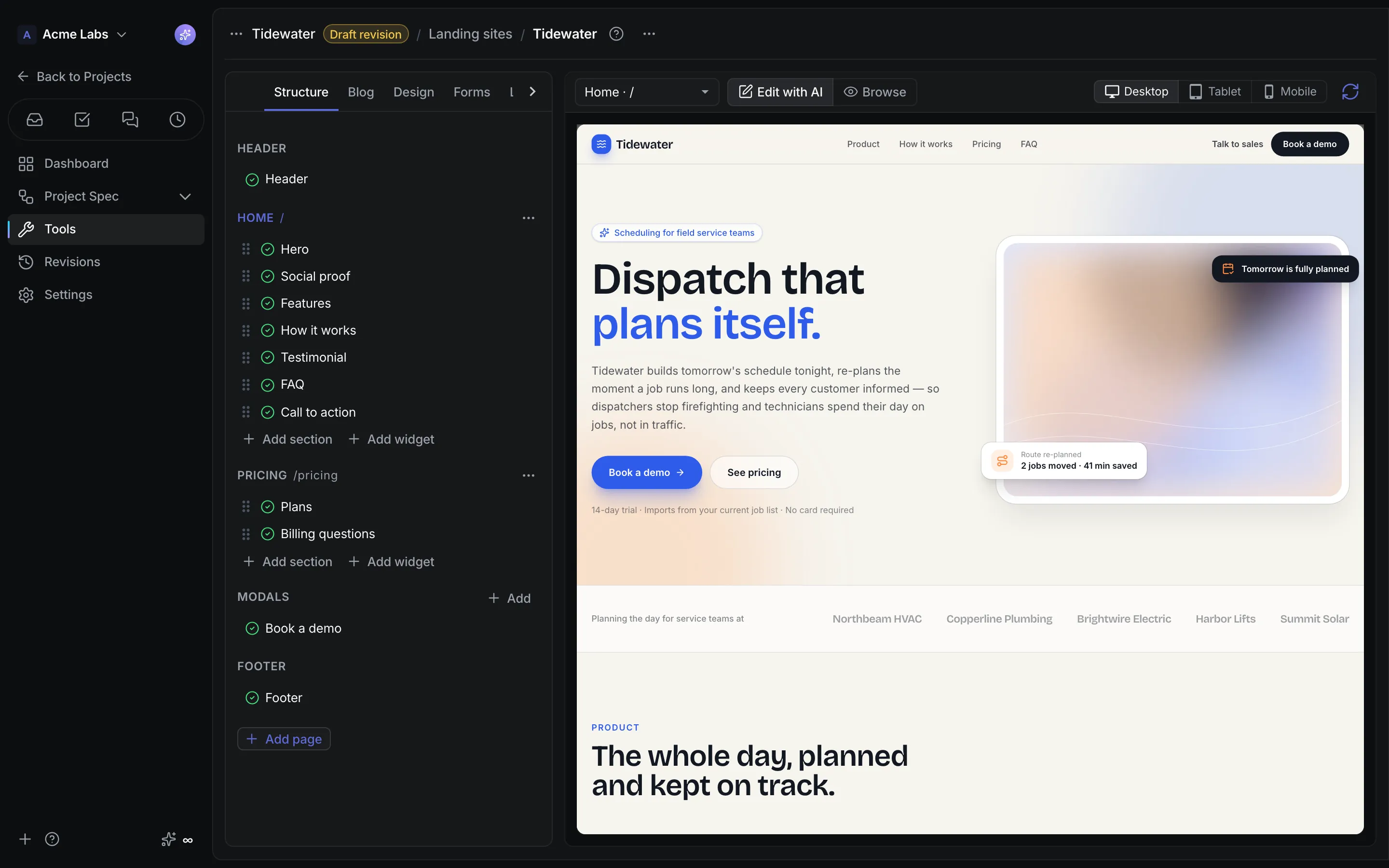
Product walkthrough
Landing, in context.
Demo project data shown for illustration.
Screen 01 / 03
Site studio
Pages and sections sit next to a live preview of the generated site.
A closer look
The details,
when you need them.
Explore the workflow, what it produces, and how access works.
How Landing works
Landing builds a small static marketing site with AI: pages, sections, modals, forms, and images. Refine it in a sandboxed preview by selecting an element and saying what should change, add a blog and widgets, and publish an immutable build on a CrystalSpec address or your own domain.
- Describe the site; the planner proposes pages, sections, forms, and images, and each section is generated, validated, and compiled before it reaches the preview.
- Click or drag an element in the preview and tell the AI what to change, reorder sections in the outline, undo the last AI change, and drop in Blog, Lead form, Form, or Shop widgets without spending credits.
- Publish, connect a subdomain with copyable DNS records and automatic HTTPS, and optionally paste a GA4 measurement ID for cookieless page counts.
A practical example
A two-person startup wants a credible site with a waitlist form and a few blog posts this week, on their own domain, without a web agency or a separate CMS.
What you get
A published site you can keep editing
- Static pages with titles, descriptions, canonical and Open Graph tags, a 404 page, and a sitemap
- Blog posts with covers, search settings, and per-post pages that go live on the next publish
- Lead forms whose answers arrive in Sales, and a custom domain with Waiting for DNS, Preparing HTTPS, and Connected states
Using Landing
Generated sections can only import the runtime, React, and an icon set, and published pages run in a browser sandbox with no network access of their own. The planner sees the revision's name and description only, never protected spec content, because the output is public. Free workspaces get gradient placeholders instead of generated images.
Keep exploring