Inventory · What you have and where it is
Know what you have.
Track stock, assets, locations, and reservations. Plan equipment alongside people on the shared schedule.
Plan and usage limits apply. View pricing
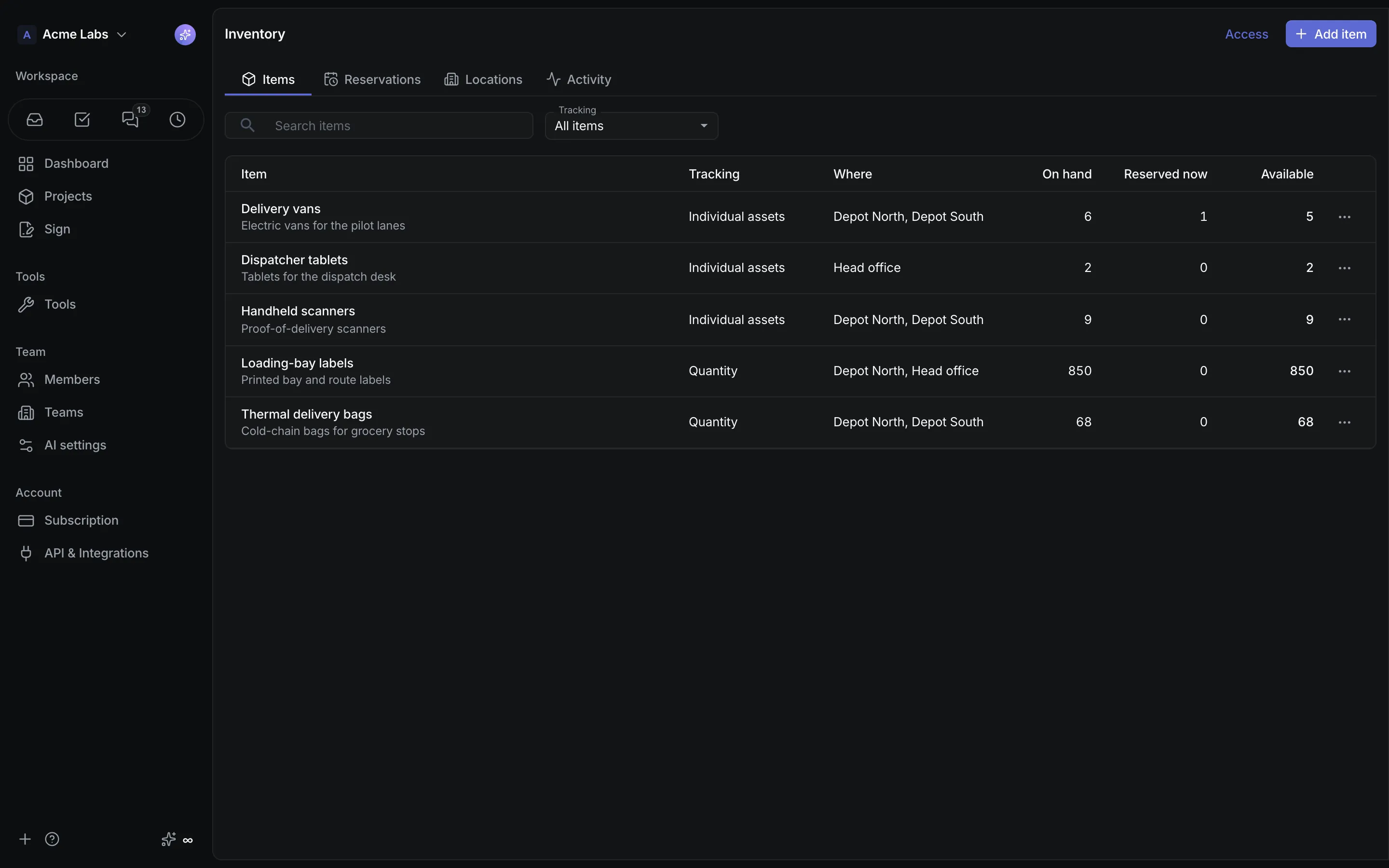
Product walkthrough
Inventory, in context.
Demo project data shown for illustration.
Screen 01 / 03
Items
Track individual assets and stock quantities across locations.
A closer look
The details,
when you need them.
Explore the workflow, what it produces, and how access works.
How Inventory works
Inventory tracks quantities in count, kilograms, or any unit you define, identified assets, locations, stock movements, and reservations across the whole workspace. Reservations share Schedule's calendar, so people planning and equipment planning read from one timeline.
- Add locations and items with opening stock per location or a generated batch of asset identifiers, then set exact counts, move assets, and transfer stock between places, each action recording its reason and the acting member.
- Open an item or location page to see stock by location or every asset with where it sits and who holds it now or next, upcoming reservations, and the activity trail.
- Reserve for whole days or exact times by dragging across an item's or asset's lane; the dialog shows live availability per location and which assets are free, and shortages block saving.
A practical example
A field-services company wants to know which of its twelve scanners are free next Tuesday, who holds them now, and why the warehouse count dropped by three last week.
What you get
One truthful balance per location
- A Reservations timeline and Schedule's Items and Combined views that share week and four-week navigation with people planning
- Counts made against a stale balance are refused, with what moved shown before the count can be saved
- Shop products linked to an Inventory item show the on-hand quantity in the catalog
Using Inventory
Inventory access grants no people-planning rights, and reservation links to person bookings are context only. Members edit and cancel their own reservations; owners and admins manage everything and can archive or retire items while keeping the activity trail.
Keep exploring