Lead Forms · Capture inside the CRM
Turn interest into a lead.
Create a public form, collect responses, and turn submissions into clients and deals in Sales.
Part of SalesPlan and usage limits apply. View pricing
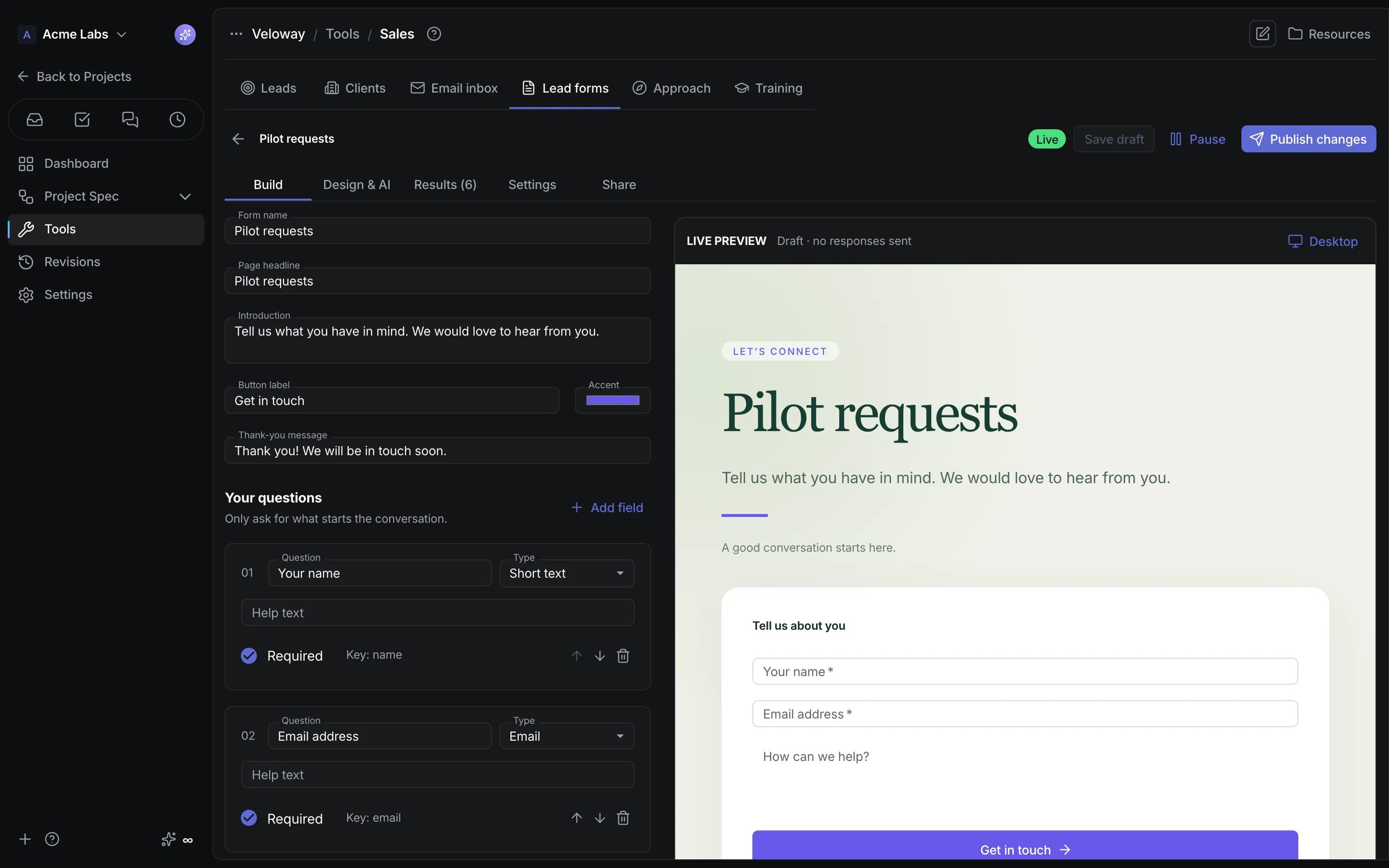
Product walkthrough
Lead Forms, in context.
Demo project data shown for illustration.
Screen 01 / 03
Form builder
Build a lead form and see the live preview while you edit.
A closer look
The details,
when you need them.
Explore the workflow, what it produces, and how access works.
How Lead Forms works
Lead forms, a tab inside Sales, are hosted capture pages with typed questions, an AI-designed presentation, a stable public address, and an explicit path from a submission to a client and a deal in the same pipeline.
- Build the page copy and questions with required settings, choices, and ordering, then preview on desktop and mobile before publishing, pausing, or archiving.
- Generate or refine the presentation from a written direction in Design & AI, and ask AI questions about recent responses without touching the records.
- Share the hosted address, iframe, script, or standalone React component, or serve the form on a custom domain, and convert submissions into clients and optional deals.
A practical example
A team launching a waitlist wants a form on its landing site and on a partner's page, with every response reaching the right people and converting into a tracked lead on request.
What you get
A lead source with a stable address
- Published forms at app.crystalspec.com/forms/{slug} or on your own subdomain, with an opt-in JSON API and allowed origins
- Submissions in Results with New and Converted filters, and an Inbox notice for every receiving member
- A request cap and source cooldown that keep intake usable without a login
Using Lead Forms
A lead form lives in Sales and feeds its pipeline; standalone surveys belong to the Forms tool. Generated presentation code runs in an isolated frame with network access disabled, and search indexing is off until you turn it on.
Keep exploring