Chat & Bubbles · Where the team actually talks
Keep the conversation close.
Channels, threads, topics, and live calls. Ask @Spec about the published product right in the conversation.
Plan and usage limits apply. View pricing
Product walkthrough
Chat & Bubbles, in context.
Demo project data shown for illustration.
Screen 01 / 03
Channels
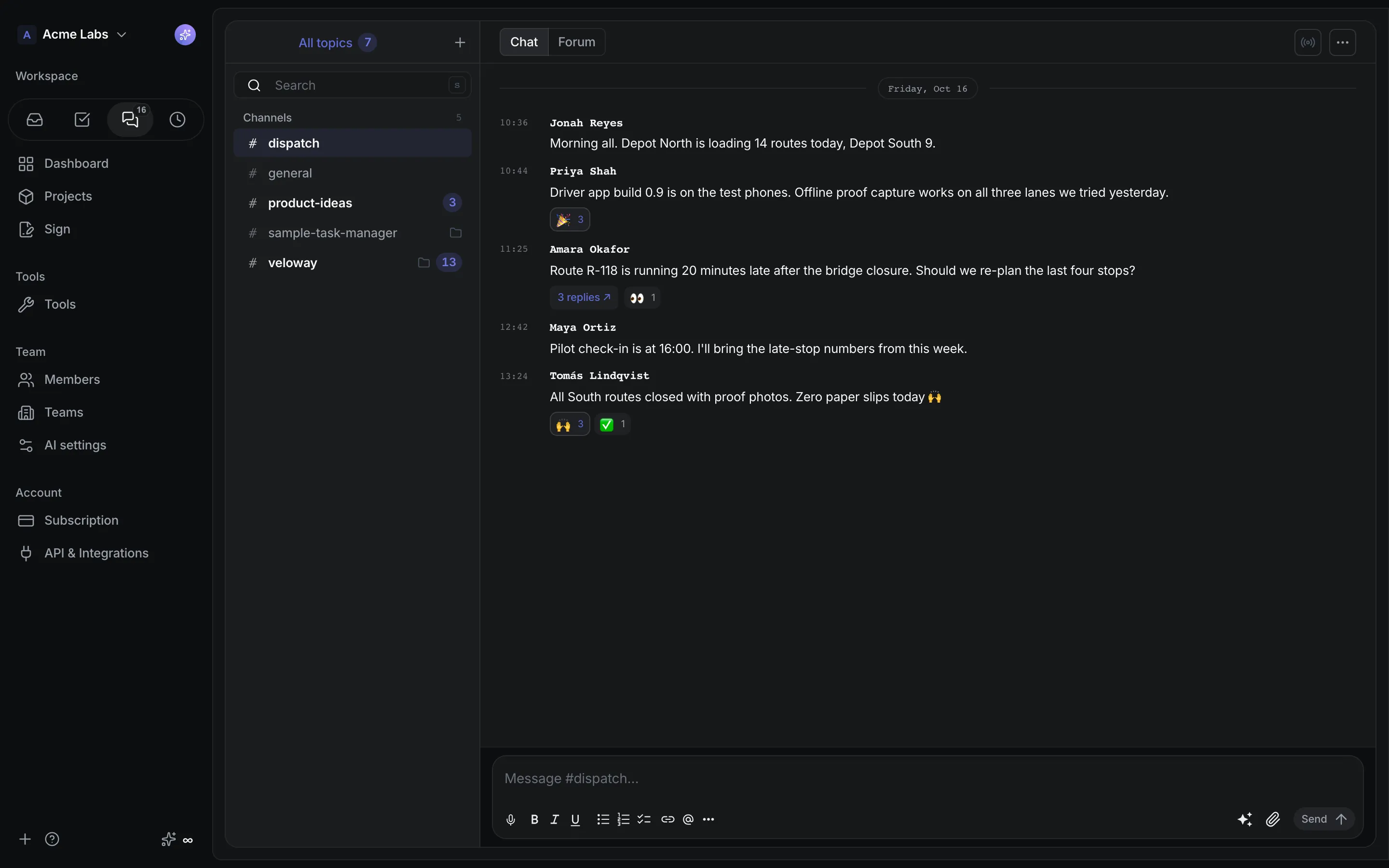
Team channels with reactions, mentions and threads, next to every project.
A closer look
The details,
when you need them.
Explore the workflow, what it produces, and how access works.
How Chat & Bubbles works
Chat combines IRC-style project and workspace channels, private channels and sub-channels, direct messages, threaded rich text with attachments and reactions, a Forum of resolvable topics with polls, and Bubbles for live audio, video, and screen sharing. Mention @Spec and the assistant answers from the published revision in the thread.
- Open the project channel or create public and private channels, one-to-one or group DMs, and sub-channels. Every task list gets its own sub-channel, visible only to the list's audience.
- Write with the shared rich editor: channel-scoped @mentions of people, glossary terms, documents, roles, and flows, up to ten files per message, Unicode reactions, replies, Copy link, and Explain with Spec on any message.
- Switch to Forum for topics with Open, Resolved, and Top rankings, upvotes, and polls, or start a Bubble to talk, share a camera, or share a screen without leaving the workspace.
A practical example
A distributed team wants one place for the quick question, the decision thread that must not get lost, and the ten-minute call, with the product's own vocabulary one @ away.
What you get
Conversation that stays attached to the work
- Revision lifecycle updates posted by Spec, with Read the specification and See what changed links on every publish
- Message search with phrase, conversation, date, and files-only filters, and deep links that load a window around the exact message
- Inbox entries for mentions and unread root messages, and unread badges that count only what still needs a look
Using Chat & Bubbles
Chat is a core feature for every joined member, not an optional tool. Spec answers only in project channels and never where protected content would leak into a shared room, Bubbles are not recorded, and the service runs on self-hosted media infrastructure configured per deployment.
Keep exploring